

Apple just rolled out its newest Mac operating system, and if you’ve been hearing the name and wondering what’s actually new, you’re in the right place. macOS Golden Gate — officially macOS 27 — landed on September 14, 2026, and it’s a big moment: it’s the first macOS built exclusively for Apple silicon, closing the book on the Intel era for good.
I updated my own MacBook Air the morning Golden Gate dropped, and my first impression was simple: this isn’t a reinvention, it’s a clean-up. Apple took the bold Liquid Glass look from Tahoe and sanded down the parts people complained about. There are some genuinely useful additions here, plus a few removals worth knowing before you hit update. Here’s the full rundown — what’s new, when it came out, which Macs can run it, and how to install it without any drama.
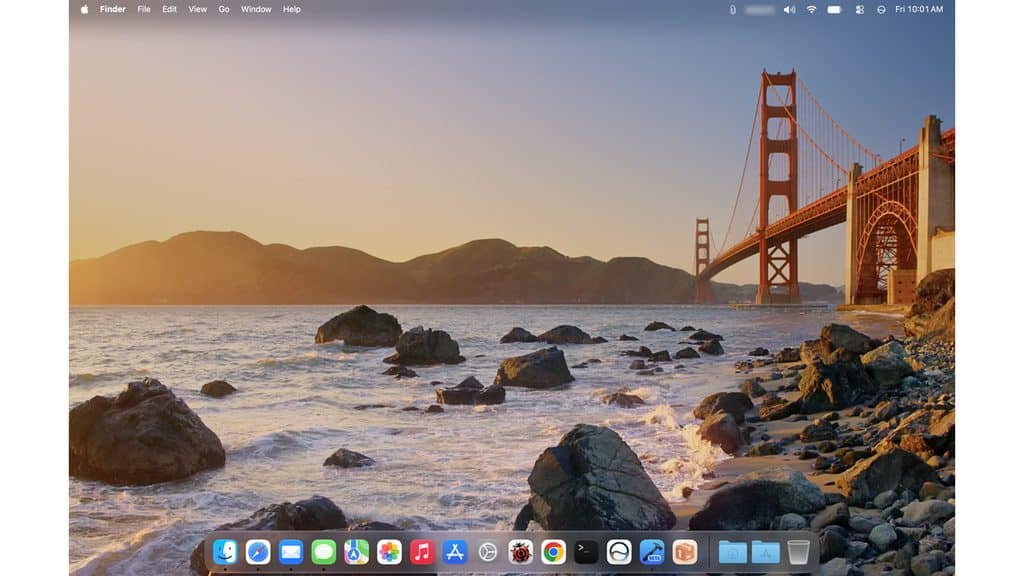
Quick Answer: macOS Golden Gate (macOS 27) was released on September 14, 2026, as the successor to macOS Tahoe. It runs only on Apple silicon Macs (M1 or later, plus the A18 Pro), drops Intel support entirely, and focuses on refined Liquid Glass controls, a smarter Siri, Visual Intelligence, and quality-of-life tweaks across the system.
What is macOS Golden Gate?
macOS Golden Gate is the twenty-third major release of macOS and the direct successor to macOS Tahoe (macOS 26). It’s named after the Golden Gate – the strait connecting San Francisco Bay to the Pacific – keeping Apple’s tradition of naming macOS releases after California landmarks.
The headline change is under the hood: Golden Gate is the first version of macOS that runs only on Apple silicon. If your Mac still has an Intel chip, this is where the road ends – Tahoe was the last version to support Intel. Golden Gate is also the final release with full Rosetta 2 support, so older Intel apps will still run for now.
macOS Golden Gate release date
Here’s the quick timeline:
- Announced: June 8, 2026, at WWDC 2026 (with the first developer beta the same day).
- Public release: September 14, 2026.
- Version number: macOS 27 (Apple’s year-based naming, following Tahoe 26).
It’s a free update for every supported Mac, delivered through System Settings – not the Mac App Store.
macOS Golden Gate new features
Golden Gate is a refinement release – Apple listened to feedback on Tahoe’s redesign and smoothed out the rough edges. Here’s what’s actually new.
Refined Liquid Glass design
The traffic-light window buttons (close, minimize, zoom) get a cleaner Aqua-style Liquid Glass look, closer to the classic macOS feel. Window border shapes are now consistent across apps, reversing a Tahoe change that annoyed a lot of users.
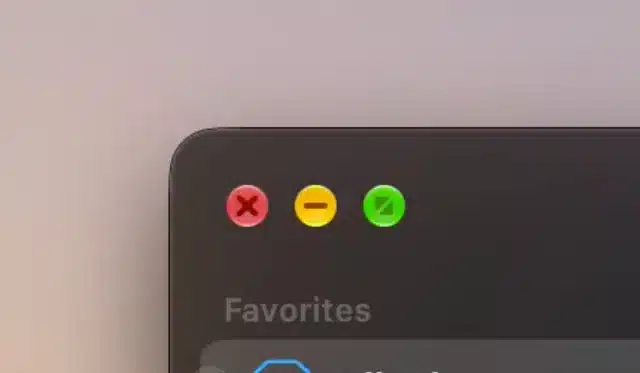
Honestly, this is the change I noticed first. The window buttons on Tahoe always felt a little too flat to me; on Golden Gate they finally look like they belong on a Mac again.
Smarter Siri and Visual Intelligence
Siri gets a noticeable upgrade with the new AI model — more expressive voices, better dictation, and on-device processing. Visual Intelligence expands what your Mac can understand on screen. (Note: the advanced Siri model needs an M3 chip or newer with at least 12 GB of RAM.)
Quality-of-life improvements
- Pull-to-refresh now works in Safari, Mail, News, Podcasts, and Calendar.
- iPhone Mirroring finally supports window resizing.
- Screen recording can now capture system audio — a long-requested feature.
- Notes and Freeform get extra Markup drawing tools.
- The mouse cursor brings back a refreshed version of the classic glove icon.
- Smoother, more consistent animations across the system, Control Center, and app top bars.
What’s been removed
A few things are gone in Golden Gate, so check before you rely on them:
- Boot Camp — removed, since Intel is no longer supported (no more running Windows natively this way).
- Apple Filing Protocol (AFP) — dropped, which means Time Machine backups to older AirPort Time Capsule routers no longer work.
- AirPort Utility — no longer bundled with new installs (still downloadable, but unsupported).
macOS Golden Gate supported Macs
Because Golden Gate is Apple-silicon-only, the compatibility list is simple — if your Mac has an M-series chip, you’re in. Here’s the official list:
| Mac model | Supported from |
|---|---|
| MacBook Air | M1, 2020 or later |
| MacBook Pro | M1, 2020 or later |
| Mac mini | 2020 or later |
| iMac | 2021 or later |
| Mac Studio | 2022 or later |
| Mac Pro | 2023 |
| MacBook Neo | All models |
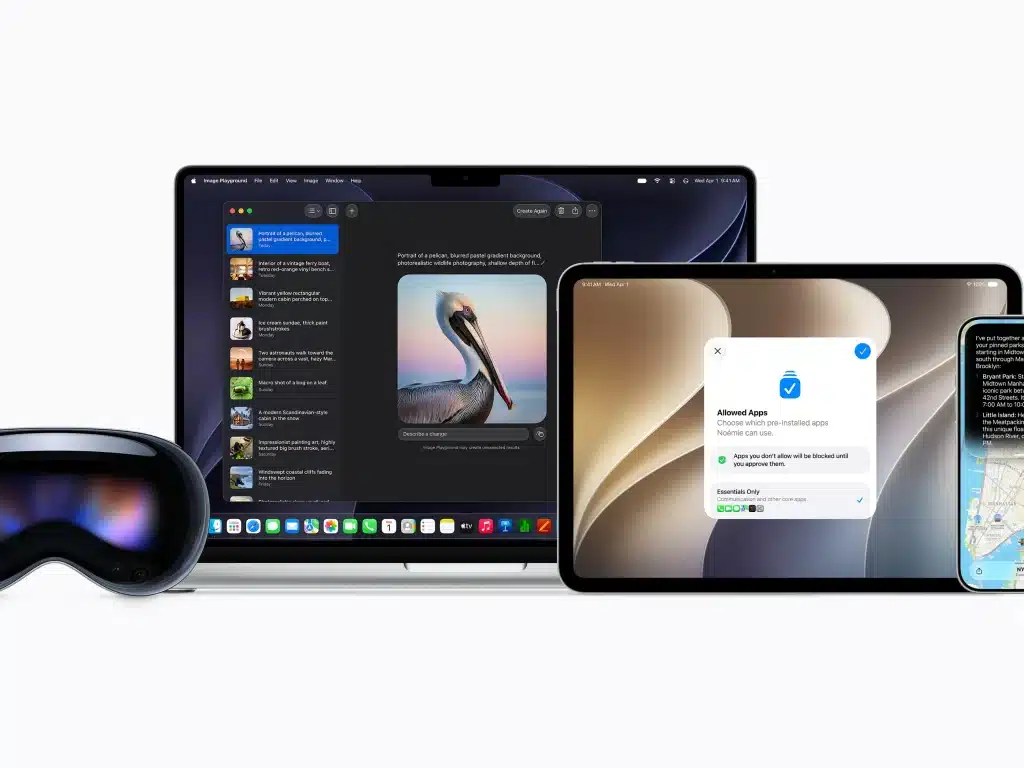
Not supported: any Intel Mac, including the 2019 Mac Pro, 2019 16-inch MacBook Pro, 2020 13-inch (four-port) MacBook Pro, and 2020 iMac. If you’re on one of those, macOS Tahoe is your final version – and that’s fine; it’ll keep getting security updates for a while.
Tip: Not sure which chip you have? Click the Apple menu → About This Mac. If it says “Apple M1/M2/M3/M4” you can install Golden Gate. If it says “Intel,” you’ll stay on Tahoe.
How to update to macOS Golden Gate
Updating is straightforward, but do these three things first.
Step 1: Back up your Mac with Time Machine or a cloud backup – always do this before a major update.
Step 2: Make sure you have enough free space (at least 25–30 GB) and your Mac is plugged into power.
Step 3: Go to Apple menu → System Settings → General → Software Update, wait for Golden Gate to appear, and click Upgrade Now.
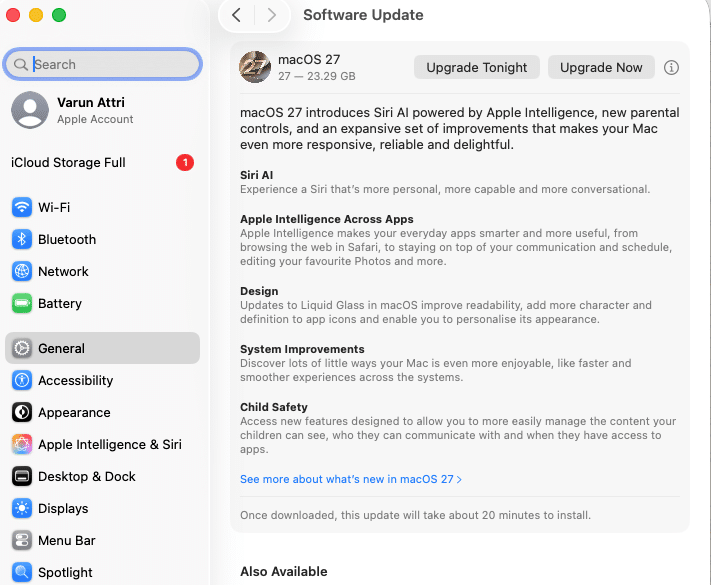
The download and install can take 30–60 minutes depending on your connection, so start it when you don’t need the Mac urgently. Mine took about 40 minutes on a normal home Wi-Fi connection.
Heads up: After any big macOS update, your Mac may feel slow for a few hours while it re-indexes files in the background. That’s normal. If it’s still sluggish the next day, our guide on how to speed up your Mac walks through the fixes.
Should you update to macOS Golden Gate?
If your Mac is supported and you rely on it for daily work, there’s no rush to jump on day one. I updated early because I like testing new releases, but for a work machine I’d usually wait for the first point release (27.1) – it almost always means a smoother ride. That said, with a good backup in hand, Golden Gate is a polished, low-risk upgrade over Tahoe. Just remember: once you’re on it, there’s no official downgrade path without a full erase, so back up first.
Frequently Asked Questions
What is macOS Golden Gate?
macOS Golden Gate is Apple’s macOS 27, released on September 14, 2026, as the successor to macOS Tahoe. It’s the first macOS to run exclusively on Apple silicon Macs and focuses on refining the Liquid Glass design, a smarter Siri, and quality-of-life improvements.
When was macOS Golden Gate released?
It was announced at WWDC on June 8, 2026, and released to the public on September 14, 2026, as a free update through System Settings.
Which Macs support macOS Golden Gate?
Any Mac with an M-series chip: MacBook Air and MacBook Pro (M1, 2020 or later), Mac mini (2020+), iMac (2021+), Mac Studio (2022+), Mac Pro (2023), and MacBook Neo. Intel Macs are not supported.
Can Intel Macs run macOS Golden Gate?
No. Golden Gate is Apple-silicon-only. macOS Tahoe (macOS 26) was the last version to support Intel Macs, and those machines will continue to receive security updates for a period.
Is macOS Golden Gate free?
Yes. Like all recent macOS releases, Golden Gate is a free upgrade for every supported Mac, installed through System Settings → General → Software Update.
Does Boot Camp still work in macOS Golden Gate?
No. Boot Camp has been removed because Golden Gate no longer supports Intel processors. If you need Windows, you’ll have to use a virtualization app instead.
Should I update to macOS Golden Gate right away?
If you depend on your Mac for work, it’s often wise to wait for the 27.1 update to let early bugs get ironed out. If you have a solid backup and want the new features, it’s a safe, polished upgrade from Tahoe.
Final thoughts on macOS Golden Gate
macOS Golden Gate isn’t a dramatic reinvention — and that’s a good thing. It takes the bold Liquid Glass look from Tahoe and makes it feel finished, adds a genuinely smarter Siri, and closes out the Intel era cleanly. After a few days on it, I haven’t looked back. If your Mac is on the supported list, back up, update through System Settings, and give it a few hours to settle. And if it feels slow afterward, you know where to find our speed-up guide.